


Sprunki: Funky Remix Beats
3.335.00 Reviews
App Specs
- Version
- 1.2.3
- Updated On
- License
- Free
- Downloads
- 5,000,000+
- Developer
- SYNTHJOY GAMES
- Categories
- Music
- Platform
- Android
Screenshots
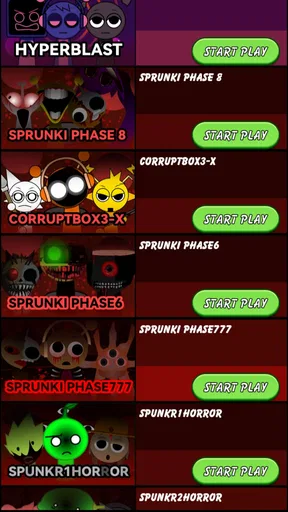
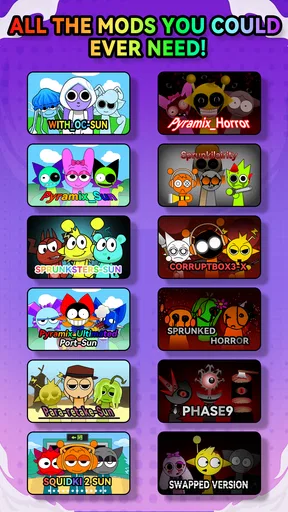
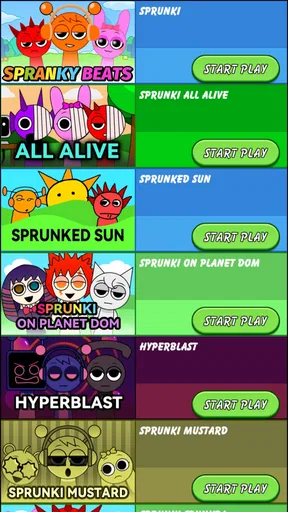
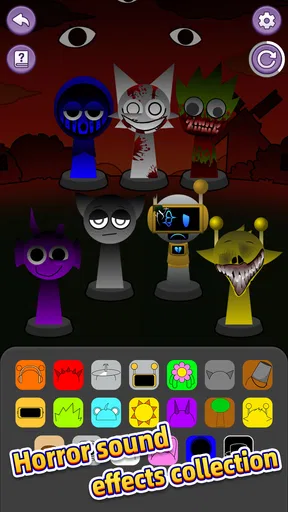
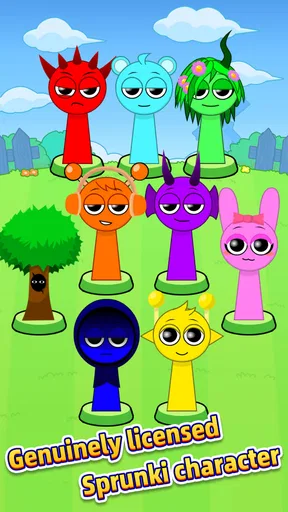

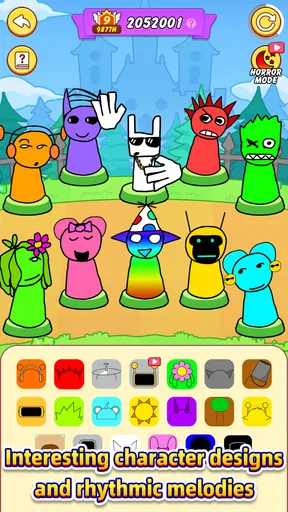
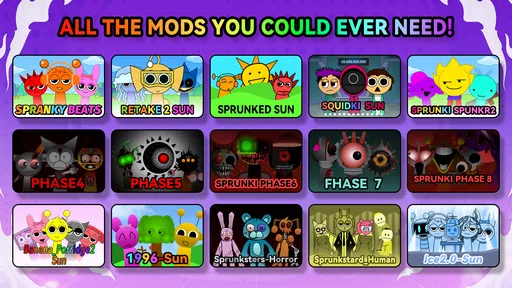
 Analysis by AppCompare
I like music games best when they give me something small to try right away, rather than making me study a complicated tool before I can enjoy it. Sprunki: Funky Remix Beats has an inviting creative premise: make music by putting sounds together and seeing what kind of track emerges. That makes it an easy option to consider when I want a playful break, though it is worth approaching it as a casual music game rather than assuming it will replace a full production app.
Starting with a simple musical goal
The first useful question is what you want from a session. If your goal is to experiment with combinations and enjoy the result, the game’s create-your-own-song idea gives you a clear starting point. I would begin by making one short mix and listening for which parts feel like they belong together, rather than trying to create a polished track immediately. That low-pressure approach suits the game’s playful tone and helps a newcomer decide whether the activity itself is enjoyable.
That also makes it a reasonable fit for a spare moment: I can imagine opening it while waiting for a ride or taking a quick break, trying a few musical ideas, then putting the phone away. It is less suited to someone who wants a guided course in rhythm, detailed editing controls, or a precise route from beginner to advanced producer. A music-making game can be entertaining without teaching formal production, and I would keep those expectations separate.
What progress can feel like
In a game built around making songs, progress does not have to mean climbing a long ladder of levels. A more useful personal measure is whether each attempt sounds more like the mood I had in mind. I’d pay attention to whether I can identify a combination I enjoy, repeat the parts of the process that work for me, and make a different-sounding result the next time. Those are satisfying goals even when I am only playing for a few minutes.
I would also treat any social comparison as optional motivation rather than proof that one player is “better” at music. Sharing a creation can be fun if I want reactions, but a leaderboard or a popular mix is not the same thing as a clear learning path. If I am playing alone, I can still set a small challenge for myself: aim for a particular mood, change one choice at a time, and listen to what that adjustment does. That makes experimentation more deliberate without turning a casual game into homework.
How much challenge should you expect?
The appeal here is experimentation, so I would not come in expecting the same difficulty curve as a rhythm game that tests timing through increasingly demanding stages. The challenge is more about making choices and deciding when a mix feels finished. That can be relaxing for players who want room to explore, but it may feel loose to anyone who needs clear objectives, timed tests, or a steady stream of unlocks to stay engaged.
A practical way to keep a session interesting is to make one small rule before starting: try for a calmer sound, build toward something more energetic, or avoid repeating the arrangement from the last time. The rule gives me a focus while leaving room to improvise. It also helps reveal whether the game’s creative loop is enough to hold my attention. If I keep wishing for tougher challenges or structured stages, I may be looking for a different kind of music game.
Worth Reading Before You Choose

Switching to Android Auto Means Rethinking Your Driving Routine

Google Calendar Makes a Crowded Week Easier to Manage

Baby Panda World Brings Quick Play to Modern Phones, but Its Game Library Feels Busy

ESPN’s Live Game View Makes Following Close Games Easier

QuizzLand Review: A Good Fit for Short Trivia Breaks, Not Every Player

Basketball Stars: Multiplayer Is Fast, but Can It Recover When Matches Go Wrong?
When to keep playing—and when to stop
Games that let me create can encourage one-more-try sessions, because there is always another combination to test. I see that as a pleasant form of replayability when I am enjoying the process, not a reason to chase every possible result. If a session starts feeling repetitive, taking a break is better than expecting the game to provide a new goal at every turn.
For a casual player, a satisfying stopping point might be one mix that captures the idea I had in mind. For someone who wants long-term progression, the more important question is whether experimentation itself stays rewarding. I would not judge this game by the number of milestones I can collect; I would judge it by whether I still feel curious about trying a different sound. That is a personal measure, but it is a useful one for a creative game with an open-ended premise.
Getting Into the Groove
When I first downloaded Sprunki: Funky Remix Beats, I was immediately drawn to its sleek and user-friendly interface. Setting it up was a breeze, and within minutes, I was navigating through a vibrant world of soundscapes. The app's design is intuitive, making it a perfect fit for both beginners and seasoned beatmakers.
Features That Hit the Right Note
What caught my attention was the sheer variety of features packed into this app. It offers a range of funky beats and rhythms that you can mix and match to create your own signature sound. The library is pretty extensive, with options that range from classic funk to modern remixes.
The highlight for me was the remix feature. It lets you take an existing track and put your own spin on it. Imagine taking a classic funk beat and adding your twist – the possibilities are endless. Plus, the app allows you to save and export your creations, making it easy to share your funky beats with friends or social media followers.
Jamming Out with Friends
One of the coolest aspects of Sprunki is its social feature. You can connect with other users, share your creations, and even collaborate on tracks. It's like having a virtual jam session with people from around the world. I found this feature particularly engaging, as it opened up a whole new community of music lovers and creators.
The app also includes a leaderboard where you can see how your beats stack up against others. It's a fun way to challenge yourself and improve your remixing skills while gaining recognition for your efforts.
The Sound of Quality
Now, let's talk about sound quality. I've tried other music apps before, but Sprunki stands out with its crystal-clear audio and seamless playback. The app ensures that every beat and note is delivered with precision, making the listening and creating experience truly enjoyable.
Whether you're using headphones or speakers, the sound quality remains consistently high. For someone like me who is picky about audio, this was a major win.
Choosing it over other music apps
It helps to compare this with the two common alternatives: rhythm games built around hitting notes on time, and music-production apps built for editing detailed tracks. This game sits closer to casual, playful music-making. I would choose a timing-focused game if I wanted scores tied to reflexes, and a production tool if I needed fine control over a finished recording. The appeal here is the lighter creative loop: try a combination, listen, and decide what you like.
That distinction matters if you are deciding whether it is right for a particular player. A younger teen who enjoys making amusing musical combinations may find the open-ended approach more welcoming than a technical workstation. Someone already composing songs for a project may quickly want more control than a game is designed to offer. I would not treat those differences as flaws so much as a question of matching the app to the job.
A low-pressure way to use a short session
For an everyday example, I would use it during a ten-minute break when I want something more active than listening to a playlist but do not have time to learn a complicated interface. I might choose a sound direction, make one mix, and replay it before deciding whether to keep experimenting. The useful trick is to change only one musical choice between attempts; that makes it easier to notice what changed instead of ending up with a string of mixes that blur together.
Another good habit is to save a version once it feels close to the idea, before tinkering further. That gives me a point to return to if the next experiment is less successful. If sharing is part of the fun, I would make a mix I can explain in a sentence—such as “this one should feel bouncy”—rather than expecting a casual game to deliver a studio-ready track. Keeping the goal modest makes the session feel complete.
What the audience and price suggest
As a free music game from SYNTHJOY GAMES, it is easy to try without treating the first session as a major commitment. The game is rated Teen, so I would keep that age guidance in mind when choosing it for a younger player. Its average rating is 3.2 from around 1.7 thousand ratings, while its audience has passed 1 million installs. I read that combination as a reason to approach it with sensible expectations: there is clear interest, but it will not be a perfect fit for everyone.
There are in-app purchases at $3.99 per item, so I would check the purchase prompt carefully and decide whether any optional item is worth it before spending. A free starting point is useful for judging the core experience first. The current version is 1.2.2, and it requires Android 7.0 or later. Those details make the practical decision straightforward: check compatibility, try the basic loop, and only consider spending if the game has already become part of your routine.
Where the creative loop may fall short
The open-ended format has a trade-off: if you need a clear campaign, regular unlocks, or a sense that every session advances a larger goal, simply making another mix may not be enough. I would also avoid assuming that a social space or leaderboard will provide the kind of feedback a beginner needs. Comparing results can be entertaining, but it does not necessarily explain how to improve a song or why one arrangement works better than another.
That is why I would recommend it most to people who enjoy playful sound exploration and do not mind setting their own small goals. If you prefer a structured challenge, a rhythm game with defined stages is likely a better match. If your priority is recording and refining a complete composition, a dedicated music editor will give you a more appropriate toolset. The right choice depends less on which app has the longest feature list and more on what you want to do with music today.
Room for Improvement?
No app is perfect, and while Sprunki has a lot going for it, there are a few areas where it could improve. For instance, while the library is vast, I found myself wishing for more customization options in terms of sound effects. It would be great to have an even wider range of effects to experiment with.
Additionally, while the app is generally stable, I did experience a couple of minor glitches when switching between tracks. However, these were quickly resolved with updates, and they didn’t detract significantly from my overall experience.
Final Thoughts
All in all, Sprunki: Funky Remix Beats is a fantastic app for anyone looking to dive into the world of music creation. Its user-friendly interface, extensive feature set, and social connectivity make it a must-try for music enthusiasts. Whether you're a casual listener or a dedicated beatmaker, this app has something funky in store for you.
If you’re ready to unleash your inner DJ and create some funky beats, give Sprunki a spin. You might just find yourself hooked on the rhythm! And hey, who knows? You could be the next big thing in the remix world!
Pros
- Intuitive interface for easy navigation.
- Wide variety of remix tools available.
- High-quality sound output.
- Regular updates with new features.
- Offline mode for mixing on the go.
Cons
- Limited free version features.
- Occasional lag on older devices.
- Requires significant storage space.
- In-app purchases can add up.
- Ads can be intrusive in free version.
FAQs for Sprunki: Funky Remix Beats
What is Sprunki: Funky Remix Beats and what does it offer?
Sprunki: Funky Remix Beats is a dynamic music app that allows users to create unique remixes using a wide range of beats and sound effects. Featuring an intuitive interface, it caters to both beginners and experienced music producers, offering a creative platform to experiment with funky, danceable tracks.
Is Sprunki: Funky Remix Beats free to download and use?
Sprunki: Funky Remix Beats is available as a free download on both Android and iOS platforms. While the app offers a variety of free features, there are optional in-app purchases that unlock additional sound packs and advanced editing tools to enhance your music-making experience.
What are the main features of Sprunki: Funky Remix Beats?
The app includes a variety of tools such as a beat library, remix options, and sound effects. Users can layer tracks, adjust tempo, and apply filters to create personalized music. The app also supports sharing your creations on social media, making it easy to showcase your work.
Does Sprunki: Funky Remix Beats require an internet connection?
While Sprunki: Funky Remix Beats can be used offline for basic remixing, an internet connection is required to access certain features such as downloading new sound packs and sharing your music online. It’s recommended to connect to Wi-Fi for seamless updates and downloads.
Is Sprunki: Funky Remix Beats suitable for beginners?
Yes, Sprunki: Funky Remix Beats is designed to be user-friendly, making it accessible for beginners. The app includes tutorials and tips to help new users get started with creating their own music. Its simple interface allows users to explore and experiment at their own pace.


